
Adding and Editing Albums Guidelines
Adding an Album
Adding an album is pretty straightforward, so I'll just comment on a few sections. Be sure you're familiar with Musictea's style guidelines.
Alias

This section will only show up for artists who have released albums under multiple names. If a different name/variation of spelling is missing, let me know so I can add it!
Album Title
Pretty self-explanatory, but I'll provide an example for clarity:
Title: 내가 제일 잘 나가
Transliteration: Naega Jeil Jal Naga
Translation: I Am The Best
Release Date
If the album was released both physically and digitally, go with the release date of the physical album. If the album was released in multiple countries, use the first release date.
Editing an Album
Album Cover
Focus on uploading high quality images. Avoid anything below 500x500 pixels if possible. If the image is not square, try to find one without added padding. If you upload a new cover for an album that already has one the old image will be replaced.
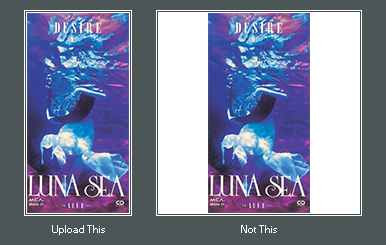
Editing Tracklists
Translations and Transliterations
If a track title is not in English you can add a translation or transliteration by clicking "(add translations)" at the bottom of the tracklist section.
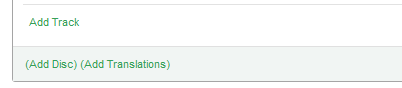
The first box is for the track title, second the transliteration, and third the translation.
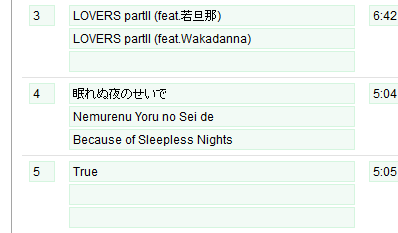
Contact me if you still have questions!
Article last updated 2013-10-22
 is a collaborative project to build the most comprehensive and up-to-date music database.
  Facebook
 Twitter
 Last.fm